


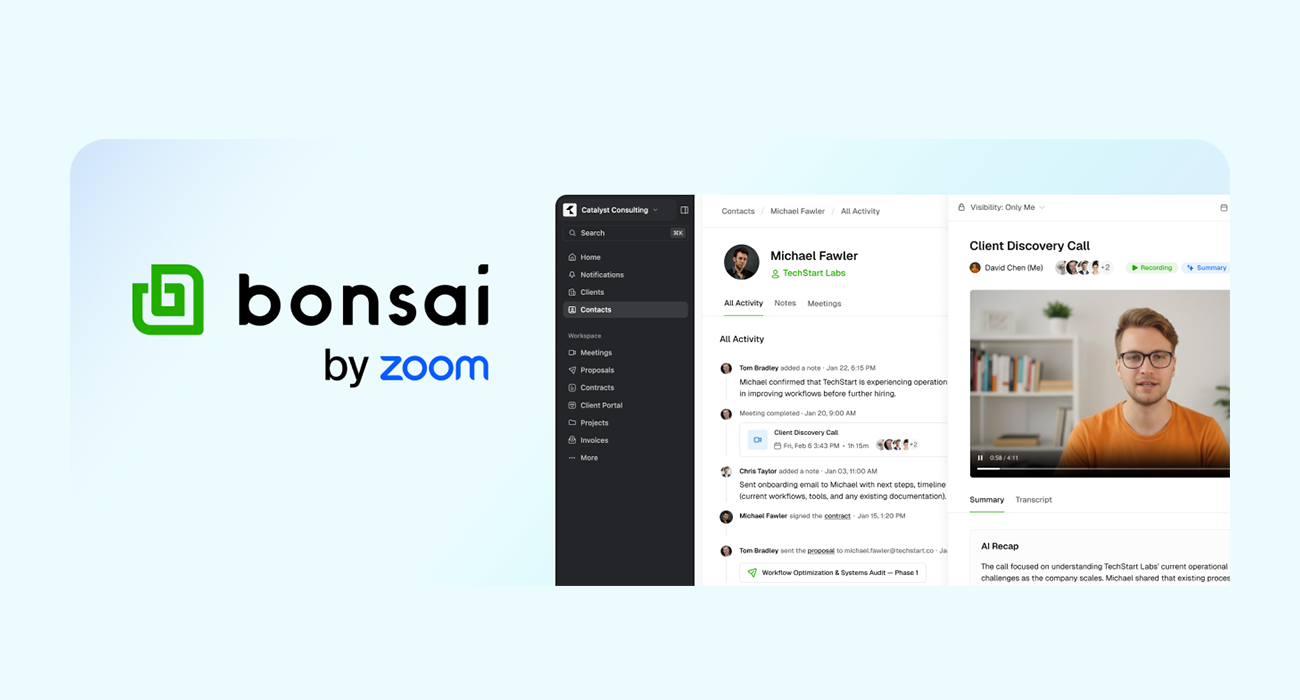

Zoom is pushing deeper into the workflow stack, and with Bonsai, it’s making a clear play to own what happens after the meeting ends. Originally known as a freelance business management platform, Bonsai is now being repositioned under Zoom’s ecosystem as a lightweight professional CRM layered tightly with meetings, documentation, and payments.
The pitch is simple: instead of meetings living in one tool and client work scattered across others, bring everything into a single, continuous workflow. At its core, Bonsai is designed to turn conversations into structured work. Meetings don’t just happen, they become records, tasks, proposals, and eventually invoices, all tied to a single client timeline.
Turning meetings into structured client data
The most immediate value proposition is the syncing layer between meetings and CRM records. With Bonsai, meeting recordings, transcripts, and AI-generated summaries can be attached directly to client profiles. That effectively eliminates one of the most common gaps in professional workflows, where key decisions discussed in calls are lost, misremembered, or buried in chat threads.
Instead of manually documenting outcomes, the system automatically logs:
- Meeting recordings and transcripts
- AI summaries with key takeaways
- Client interactions across the lifecycle
That data then feeds into the rest of the workflow, proposals, contracts, project execution, and billing, all within the same environment.
It’s a subtle shift, but an important one: meetings stop being isolated events and start becoming the entry point to structured business processes.
From call to cash, without switching tools
Bonsai’s broader ambition is to collapse multiple SaaS categories into one surface:
- CRM (client tracking and interaction history)
- Proposals and contracts
- Project management
- Invoicing and payments
The idea is to let users move from a discovery call to project delivery without jumping between platforms. For freelancers, agencies, and small teams, that could mean fewer integrations and less operational friction.
This “end-to-end” positioning isn’t new, several startups have attempted it, but Zoom’s advantage lies in owning the meeting layer itself. By controlling where conversations happen, it can more naturally extend into what happens next.
“My Notes” and the AI layer
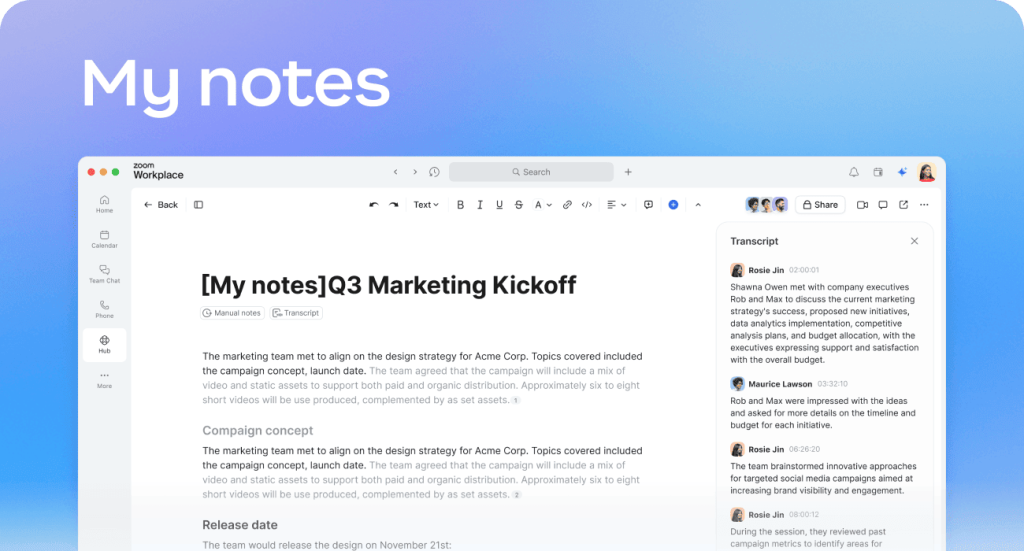
Alongside Bonsai, Zoom is introducing My Notes, part of its AI Companion suite, which acts as the connective tissue across meetings.
The feature focuses on three things:
- Capturing context automatically: Conversations are transcribed and structured into key points and summaries, allowing users to focus on the discussion instead of note-taking.
- Working across platforms: My Notes isn’t limited to Zoom, it can extend to tools like Microsoft Teams, Google Meet, and even in-person sessions when AI Companion is enabled.
- Centralizing information: All notes are stored in a unified hub, accessible through Zoom’s interface on web and desktop.
The cross-platform angle is particularly notable. While Zoom would prefer users stay within its ecosystem, acknowledging external tools suggests a more pragmatic approach, one that reflects how fragmented real-world workflows still are.
A familiar strategy, with new urgency
Zoom’s move here mirrors a broader industry trend: video conferencing tools evolving into full productivity platforms. Microsoft has Teams tightly integrated with Office and Dynamics. Google is layering Meet into Workspace. Slack, now under Salesforce, is increasingly tied to CRM workflows. In that context, Bonsai is Zoom’s attempt to build its own vertically integrated stack, starting with meetings and expanding outward.
What makes this moment different is the role of AI.
By embedding summarization, transcription, and task extraction directly into the workflow, Zoom is trying to reduce the manual overhead that typically comes with CRM systems. In theory, the system builds itself as you work.




The open questions
As with many AI-driven workflow tools, execution will determine whether this becomes indispensable or just another layer of complexity.
Key questions remain:
- How accurate and reliable are the AI summaries in real-world use?
- Can Bonsai compete with more established CRMs for larger teams?
- Will users trust a single platform to handle everything from meetings to payments?
There’s also the challenge of depth versus breadth. All-in-one tools often struggle to match the sophistication of specialized software in each category.
Why it matters
Bonsai signals that Zoom is no longer content being just the place where meetings happen. It wants to own the outcomes of those meetings.
If it works, it could reshape how independent professionals and small teams manage client work, turning what is currently a fragmented toolchain into a more unified, AI-assisted workflow.
If it doesn’t, it risks becoming another ambitious platform that tries to do everything and ends up doing just enough.
Either way, the direction is clear: the future of work tools isn’t just about communication, it’s about what happens next.


 English
  简体中文
简体中文  Čeština
  Deutsch (Sie)
  Français


